Some deliveries may take a little longer than usual due to regional shipping conditions.

DOWNLOAD THE APP


Customer Services
Copyright © 2025 Desertcart Holdings Limited
DOWNLOAD THE APP

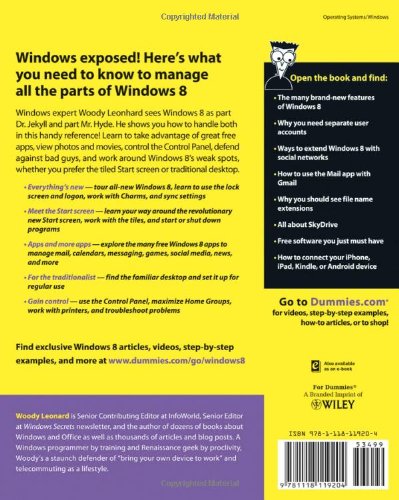
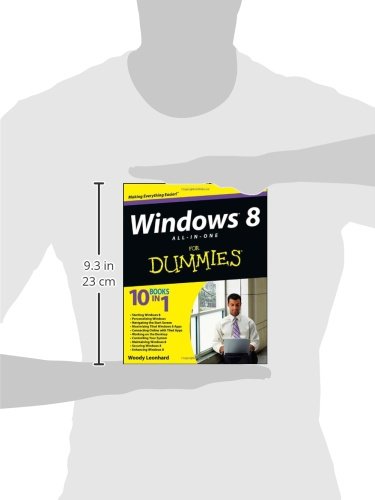
Full description not available
B**M
Covered important things
Book was great but hated Windows 8 so I didn't get much use of the book because I upgraded to Windows 10 as soon as it was available. Can't fault the book though.
J**Y
A Must Have for Anybody New to Windows 8!!!!!!!!!!!!!!!!!!!!!!!!!!!!!!!!!
I recently purchased a custom built HP Quad Envy with Windows 8. I assumed I would be able to use it right out of the box without a problem as I had previously used Windows 7, Windows XP, Millennium and other previous versions. You know what they say about "Assuming." Well, I was shocked to see a very foreign screen with I later learned were tiles. Now, I have used a iPhone for a few years now, so, I knew a little about tiles, but I COULD NOT figure out how to even open anything on Windows 8. I bought this PC Laptop back in November 2013,but until recently only turned it on may 5 times for an hour long session to get to know the system, or at least try. Its not like instructions come with the PC, so you are on your own. I was so frustrated and really angry at Microsoft for shoving this newest version of Windows down my throat (still am.) About a month ago I turned the laptop on and was met with a notification that my laptop was updating and would be installing all updates including Windows 8.1. Now, I did not want Windows 8.1, heck I really did not want Windows 8, but was stuck with it. Unlike Windows 7 and its predecessors I was not able to stop or postpone the updates. So, the download of Windows 8.1 began. After about an hour my screen went black. The PC no longer worked. I had to send it back to HP and they had to replace the hard drive. So, 8.1 crashed my brand new shiny , expensive laptop. While waiting to get my laptop back, I found this book. Wish I could say I read it cover to cover, but this book is huge! It is well organized and written in a non-techie manner. Even the topics listed are things I wanted to know with step by step instructions on how to speak Windows 8. After I received my laptop back from HP, I researched in this book how to shut down automatic updates. After reading the instructions several times, I turned the PC on for the first time after the repair. I was able to get to the settings area on the PC and turn off automatic updates, allowing only those updates I choose. So far so good. I have actually figured out how to go on line, check files, print and download music on Windows 8 thanks to this book. I highly recommend this book and believe it should be included with any new PC purchased that uses the Windows 8 operating system.
C**N
Smart book for dummies
This is a very good book for those who are looking to learn Windows 8 Pro. The book takes you from the very beginning with an excellent overview of the radical new operating system from Microsoft. It has a number of very funny illustrations and presents the material in an understandable step-by-step process. If you have an Amazon Kindle that is able to handle text-to-speech and you don't mind the mechanical voice. I recommend that you listen to the book with a pair of headphones and walked through the learning process with the author. By the time you finish the book you will have a well-founded and established foundation for understanding Windows 8 Pro. This may take several days to do so depending on how much time you have but it's worth it. You'll notice immediately that the author is not 100% sold on Windows 8 for everyone. But he does endorse giving it a try. I find that ironic considering that this is a 1000 page book. But I think you will enjoy him giving his assessment of both sides of the issues regarding whether I should upgrade now or wait till later.I have been using Windows 8 Pro since October 26 when it first became available to the public. I have encountered several issues regarding the Windows updates which are downloaded automatically. This is one major issue that Microsoft will have to address if it intends to make the transition from Windows 7 to Windows 8 a happy and smooth one for the majority who would like to upgrade. To be fair Microsoft is constantly updating and improving the software as you go. So, it is exciting to be a software guinea pig and to see how the new software is maturing. This same thing happened with Windows 7 premium. Since I purchased a new computer within the upgrade promotional. I was able to purchase Windows 8 Pro for for $14.99. This book is worth the price and is a good read.
M**D
The missing manual!
I upgraded to Windows 8 from Vista Pro and, not having gone through Windows 7 was a bit, er, confused by the new and improved operating system. I have to say I love For Dummies books and swallow them whole often while watching television so I really like the format and casual tone. But this book is also packed with helpful tips, information, where to find programs and files in Windows and tons of helpful stuff.Especially helpful were the sections on the "advanced" features such as Refresh, Restore, File Backup, etc. Sure wish software and hardware folks would use consistent terminology so those of us who like to read manuals don't have to relearn everything all the time but...The only reason I gave it less than 5 stars is the price, I bought the Kindle version and the 10 in 1 books thing is a bit misleading. This book is no longer or more complete than a decent one-book-in-one manual.
J**D
Comprehensive User Guide for Win 8
Like many others here, our first experience with Win 8 was painful! This book is an anesthetic. I don't know whether any book that could be considered comprehensive would get 5 stars. There is almost too much information that one needs to know about Windows 8 at one time to know where to begin. Moreover, "Dummies" (i.e. the users) come in so many flavors with so many previous experiences from complete novice to aging highly experience computer pro, the book inevitably is restricted to a trying to be all things to all people. I don't know given the idionsynchrasies of Win 8, whether the book may be attempting the impossible.If you get the impression that Win 8 leaves me underwhelmed and overwhelmed concurrently, then you get it. This book is as good as or better than most I have seen. It is complete.
M**S
Where's multi-monitor Support?
I only received this book today and went straight to the index for references to Windows 8 support for multiple monitors (one of the key features of interest to me as I have a 3-monitor setup).There were only two page references (bad start). I looked up one and could find no reference to multiple monitors at all. The other page talked briefly about Windows 8 improved support for multiple monitors but referred the reader to Section VI Chapter 2. I have skim read the entire chapter and again can't see a single reference to multiple monitors? For example there is no mention of the "Span" option which allows a single image to span multiple monitors. It is completely omitted from the list of described options which makes me think the author has either forgotten the feature exists or his book is based on an earlier version of Windows 8 that didn't have the feature???I will examine the book more thoroughly over the next few days but for now I am extremely worried that Mr Leonhard has put a placeholder in there where he meant to cover multiple monitors but in the rush to get the book out has omitted the section? It makes me wonder if there are any other features missing?If this purports to be a Windows 8 guide the least you would expect is that it covers all the features???If anyone has got this book please can they point me to the relevant section?Thanks.
R**C
My Postman Hates Me!!
This is an awesome book, but be warned, it's huge!!! Over a thousand pages and it weighs a ton. Fantastic value for money and written by a genius. Woody Leonhard makes the minefield of Windows 8 so easy to understand.I was on the point of returning my brand new (totally awesome) laptop after 2 days because of this ridiculously complex operating system. Not now though, not ever. Windows 8 is not spawned by Satan, it's just different. I took a quantum leap from the gorgeously user friendly XP Pro to 8, and I'm starting to believe new is actually better!! All thanks to Woody's book.My only complaint about Windows 8 now is about the e-mail. To date it doesn't support POP3 so you need a provider who offers IMAP mail as well. (Like Sky). I hear this is being addressed though in future updates, so fingers crossed.Incredible book. Incredible price. Don't give up on Windows 8, (because we won't be going backwards kiddies). Just buy this book and embrace the change. As the song says: "Welcome to the new age"I'd give this 6 stars if I could.
F**N
An excellent buy
I have read almost all 1000 pages and it is comprehensive and easy to follow. I particularly liked the comparisons with how things were done in XP, Vista and Windows 7. The tips and reasons for using certain other software as well are a huge bonus. The author is a regular contributor to the Windows Secrets website. It was there that I latched on to his ability to explain in a clear and interesting style.
J**H
A wonderful book, THE bible for Windows 8
A wonderful book, THE bible for Windows 8. Told me everything I needed to configure my new computer to work in the way I wanted to.
A**R
Five Stars
Great quality item delivered on time
Trustpilot
3 weeks ago
1 week ago