📸 Capture Moments, Share Memories!
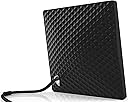
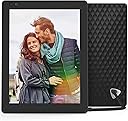
Product Description Nixplay Seed is a connected, Wi-Fi enabled digital picture frame that allows you to share and display your memories from your phone and social media with your loved ones. The Nixplay photo frame can be controlled through the Nixplay iOS/Android mobile app as well as through the Nixplay web app and desertcart Alexa. From the Manufacturer Review: Was an excellent product, but didn't last - I bought this from desertcart about 15 months ago, and really liked it. We had the motion sensor set to go on at 7:00 AM and go to sleep at 8:00 pm. It would also go to sleep if it didn't detect motion nearby for about 10 minutes. I had about 2000 pictures rotating through it in sequence of date modified, and usually sent them from my laptop through Nixplay's website after post-production in Lightroom. The picture quality was excellent. Then, about two months ago, the images darkened and became a little muddy looking. I contacted Nixplay's tech support, but in the meantime, the problem went away. Now it has come back. We don't have power surges at our house, and I don't think the product should have reached the end of its life-cycle, but apparently it has. Review: The NixPlay seed was the perfect solution. Photos can be uploaded to the frame ... - My wife and I wanted to get picture frames for both sets of parents that we could upload photos to while out and about. Other digital photo frames in the past essentially became static devices that required you to remove the SD card and upload photos manually. Unfortunately, we don't live in a world anymore where we are storing our snapshots on PCs and transferring them to SD cards. The NixPlay seed was the perfect solution. Photos can be uploaded to the frame by the owner or invited "friends" of the owner. Frame setup is easy - upon initial power-up it displays discovered WiFi networks and you can input the PSK using the included remote - the frame then displays it's activation code. You then go to the NixPlay website and create an account, and then add the frame to the account. Once the frame is activated, you can start adding pictures to it either using photos from a local library on your PC, linking from popular social media platforms, or by getting the NixPlay app from the Android or Apple App Store and uploading photos that way. One important detail that I was not able to find until I went through setup the first time is that you can completely set up the frame by creating a free Nixplay account using your own email, get some photos on it, and then after the frame has been gifted and set up for your recipient - the account can then be transferred to the frame's new owner. This is handy as you don't want to create an account for someone who you may be gifting the frame to using their email - they'll get a Nixplay welcome message, and you won't be able to confirm the account. (I could not find this information anywhere - so I wanted to make sure that it was out there somewhere.) On the Nixplay 10, the picture quality is maybe a 6 out of 10. If I understand correctly, the native resolution is 1024x768, so if you can - resize your photos to the native resolution for best results. Larger photos will not be scaled by Nixplay, but the frame will move the photo around so most / all of the photo is displayed during it's on screen duration. It does detect orientation automatically, and I thought we'd end up using the frame in landscape mode most of the time, but portrait actually seems to work better with most photos. Others have mentioned that the power cord/connector being part of the stand for the frame is troublesome - with both frames we purchased and gifted we did not find this to be the case. If I could make one change to the frame - it would be to use a better display. Display technology has gotten so much better in the past few years - a nice high-res OLED display would be outstanding and worth a few bucks more to me. Overall - if you want to have that gift that you know someone will use all the time and get the big reaction at your birthday/holiday - this is it. Fill it full of sentimental photos and you're well on the way to getting the waterworks going for the recipient!
| ASIN | B012FRC3PA |
| Aspect Ratio | 4:3 |
| Best Sellers Rank | #1,426 in Digital Picture Frames |
| Brand | Nixplay |
| Built-In Media | AC Power Plug, Digital Photo Frame, Remote Control |
| Color | Black |
| Compatible Devices | Smartphone, Tablet |
| Connectivity Technology | Wi-Fi |
| Control Method | Voice |
| Customer Reviews | 3.8 out of 5 stars 964 Reviews |
| Display Size | 9.7 Inches |
| Frame Material | Plastic |
| Global Trade Identification Number | 05060156640883 |
| Item Type Name | Nixplay seed 10 inch wifi cloud digital photo frame with ips display, iphone & android app, free 10gb online storage and motion sensor (black) - w10a. |
| Item Weight | 1.1 Pounds |
| Manufacturer | Feeke |
| Manufacturer Part Number | W10A - Black |
| Memory Storage Capacity | 8 GB |
| Model Number | W10PM |
| Power Source | Corded Electric |
| Resolution | XGA |
| Screen Size | 9.7 Inches |
| Touchscreen | Buttons |
| Unit Count | 1.0 Count |
| Warranty Description | 1 Year Labor and Parts |
M**.
Was an excellent product, but didn't last
I bought this from Amazon about 15 months ago, and really liked it. We had the motion sensor set to go on at 7:00 AM and go to sleep at 8:00 pm. It would also go to sleep if it didn't detect motion nearby for about 10 minutes. I had about 2000 pictures rotating through it in sequence of date modified, and usually sent them from my laptop through Nixplay's website after post-production in Lightroom. The picture quality was excellent. Then, about two months ago, the images darkened and became a little muddy looking. I contacted Nixplay's tech support, but in the meantime, the problem went away. Now it has come back. We don't have power surges at our house, and I don't think the product should have reached the end of its life-cycle, but apparently it has.
D**.
The NixPlay seed was the perfect solution. Photos can be uploaded to the frame ...
My wife and I wanted to get picture frames for both sets of parents that we could upload photos to while out and about. Other digital photo frames in the past essentially became static devices that required you to remove the SD card and upload photos manually. Unfortunately, we don't live in a world anymore where we are storing our snapshots on PCs and transferring them to SD cards. The NixPlay seed was the perfect solution. Photos can be uploaded to the frame by the owner or invited "friends" of the owner. Frame setup is easy - upon initial power-up it displays discovered WiFi networks and you can input the PSK using the included remote - the frame then displays it's activation code. You then go to the NixPlay website and create an account, and then add the frame to the account. Once the frame is activated, you can start adding pictures to it either using photos from a local library on your PC, linking from popular social media platforms, or by getting the NixPlay app from the Android or Apple App Store and uploading photos that way. One important detail that I was not able to find until I went through setup the first time is that you can completely set up the frame by creating a free Nixplay account using your own email, get some photos on it, and then after the frame has been gifted and set up for your recipient - the account can then be transferred to the frame's new owner. This is handy as you don't want to create an account for someone who you may be gifting the frame to using their email - they'll get a Nixplay welcome message, and you won't be able to confirm the account. (I could not find this information anywhere - so I wanted to make sure that it was out there somewhere.) On the Nixplay 10, the picture quality is maybe a 6 out of 10. If I understand correctly, the native resolution is 1024x768, so if you can - resize your photos to the native resolution for best results. Larger photos will not be scaled by Nixplay, but the frame will move the photo around so most / all of the photo is displayed during it's on screen duration. It does detect orientation automatically, and I thought we'd end up using the frame in landscape mode most of the time, but portrait actually seems to work better with most photos. Others have mentioned that the power cord/connector being part of the stand for the frame is troublesome - with both frames we purchased and gifted we did not find this to be the case. If I could make one change to the frame - it would be to use a better display. Display technology has gotten so much better in the past few years - a nice high-res OLED display would be outstanding and worth a few bucks more to me. Overall - if you want to have that gift that you know someone will use all the time and get the big reaction at your birthday/holiday - this is it. Fill it full of sentimental photos and you're well on the way to getting the waterworks going for the recipient!
J**R
Nixplay? More like NixPAY
Bought this frame to share photos with grandparents. Wasn't the best interface to use, but workable. When purchasing the frame, it came with unlimited storage and Google Photos integration. Now, the company is removing the Google Photos functionality and dropping our storage limit to a measly 500mb unless we start paying a subscription. (I have about 1200 photos on the frame, and that's about 4GB, so I'm 3.5GB over their new free tier limit) What an absolute garbage move. I could understand moving new frame purchasers to the subscription model and keeping existing customers grandfathered in, but Nixplay chose otherwise. Nixplay isn't the only frame in the game, and I'm already moving to a new one.
L**S
Great photo frame, best picture quality I’ve ever seen
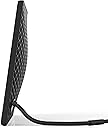
I have owned many photo frames over the years and this is the best yet. The picture quality is incredible. The colors are vibrant and extremely accurate with no banding. I shoot with a SLR and love how accurately the photos are displayed. It does have a glossy screen with a little bit of glare. This is a cloud managed frame. You access the Nixplay website to add and remove photos and change frame settings. (You can also change the settings with the remote.) It an easy site to use, updated and has a lot of power/options. You can add photos to an album, put it in a play list and assign the play list to a frame. You can add friends to your account and they can use the Nixplay app or your Nixplay email address to send photos to a given play list->frame. The Nixplay account has a safety feature that will allow only friends you specify the ability to send photos to the frame. I really like the motion detection on/off – When I approach the frame it turns on and will remain on for x minutes. (A time you set.) When it turns back on it can continue the current playlist. You can have it shuffle a playlist with a transition time up to 1 hour. The most important feature is the “Photo fit”. You can select “fit to screen” or “fill screen”. In the “fill screen” it will pan left, right, up or down to display the photo in its original size. (This will depend on the resolution and size.) I much prefer the “fit to screen. It does a great job to make sure the entire photo is displayed in the best resolution possible. I have not had to edit or resize any of my photos. The frame takes care of that for me. Of course, if the photo is portrait and you have the frame in landscape mode it will display black bars on the left and right sides of the photo and vice-versa. (The frame works in both landscape and portrait modes with auto-rotation.) Very cool. Note to Nixplay: When I rotate the frame it advances to the next photo. I would like to keep it on the same photo. A few minor issues: The USB cord is also its stand. I tried to get the stand to stay upright but it kept wanting to lean back too far for viewing. You may have to prop it up or keep it more upright so it balances. Being forceful and shaping the cord helps. Not a good design. Corporate firewalls may have issues. When you first use the frame and connector your Wi-Fi it will want to do a firmware update. Our firewall at the office seemed to have issues with this. I took the frame home, did the setup there. When I brought it back to the office the next day it worked without issue. From what I can tell the frame uses ports 80, 443 and 125. The 10” size works well on my desk at the office and I’m glad I did not order a smaller one. Now I want a 15” for home.
L**N
It Quit after a few months. Use an old tablet or phone instead.
I absolutely loved this product for the first 7 months. Then it just stopped working. I can hear a slight hum when it's plugged in but that's all. I had been contemplating purchasing another nixplay but thankfully this one broke before I invested in another. I spent way too much money for this item that failed so easily. It was difficult to stand correctly, I needed to support it. I found the remote confusing and ineffectual. I did love how it would come on when I came into the room and showed me wonderful memories. Now I use an old tablet with an app. Set the timer for when to come on and have found that to be better. My tablet doesn't have quite as good image display or the motion detection but it does have the one thing I really need. It works. I'm disgusted that I spent so much money. This thing has been sitting around for a long time. I think it's time to toss it and let other people know to be wary of it.
D**.
Love the frame but there are minor issues.....
I love this digital frame! In fact, we bought THREE frames. One for us and one each for both of our parents. The ability to upload photos via the cloud is ingenious! The initial set up was easy. The resolution is very good. The motion sensor is a great feature! I gave it 4 stars, however, instead of 5 for three reasons: 1) the cord/stand makes it difficult to put the frame just anywhere. You need a bit of a larger area in order to accommodate the cord and I do fear it falling over easily. 2) the Nixplay website is a bit difficult to navigate when trying to set up albums. Though there are tutorial videos I still have trouble each time I go into the website to try to edit or upload new photos. It is hard to tell if a new photo I have added is just in the new album or has actually been published to the frame. 3) the only way to set up the frame initially is with the remote. I uploaded photos to my mother's frame at my house then moved it to her senior living home but when I plugged it in and tried to set up the wifi via the website using my laptop I realized that I couldn't. I could only connect it to the network using the frame's remote control which was 2 hours away at my house. These issues are not deal-breakers, though. I would recommend this one to anyone interested in a cloud-based frame!
J**L
web site functionality has been going downhill
Update on 11/4/2018: I bought my frames a year ago during a Black Friday sale. They have held up well throughout the year and functioned as promised. I still love the technology and the concept. Months ago, however, the web site started lagging quite a bit; the loading time was slower than other major sites. Now, the web site has a slew of issues, so I have found it difficult to manage my playlists on my frames. This is a difficult product because you need to consider not just the physical item (which has been fabulous for me) but also the web server that stores your photos and the software or interface you need to use to manage those photos (which is causing problems). So, you have three major things to consider before deciding whether to buy this product from this company. If you have an all-in-one touch screen desktop computer, the web site does not function. You can upload photos and move them into albums, but you cannot add them to any playlist. This is because there is only one way to add to a playlist: to click on the photos you want and to drag them into the playlist. The "drag" function is non-existent. I reported this problem to NixPlay, but they no longer have 24x7 chat support, so the next morning I received a response, in broken English, from someone giving me canned instructions on how to upload photos to the site. This was very annoying, and honestly I resented it. I'm not digitally illiterate, and I was very specific in my feedback. Nevertheless, I contacted them again and explained the problem, again, and after I pushed the issue, they said they would have their IT look into it. If you're not using an all-in-one touchscreen desktop computer, then the web site functions (on a standard desktop computer or laptop). But good luck getting to see all the photos. Lately, they haven't been loading and instead there is an "image cannot be displayed" message on them. It's hard to make playlists when you can't see what the photos are. Because of the problems I've had with the web site, I do not think I would recommend this product to anyone presently, and I do not think I would buy any more frames from them. I feel very frustrated. I took a risk buying this product... it's only useful if they hold up their end of the bargain by maintaining their site's interface, bandwith, and security. For all I know, five years from now they might just shut down the company, and then I will be left with a useless device. Prior reviews: Love it so far! Really easy to set up the frame & our account. I had a hard time finding the "transitions" options because I was kind of in a hurry. I looked in the Nixplay account on their web site and didn't see it, and didn't notice it when I first set up the frame. I didn't find anything on the help/FAQ page. So I used the "chat" icon on the Nixplay web site, and Vermie replied within minutes with easy-to-follow instructions. We bought 3 of these on Black Friday -- one for us, one for our grandparents, and one for my mom. I think they're going to go over really well! Update: I've been using this for a few months. I'm mostly happy with it. I have two issues. 1. Their web site is lagging as I try to make my playlists, which is really frustrating. It's not my browser or computer; other web sites run fine. This makes me wonder about the capacity of their servers. 2. When a playlist finishes, it automatically moves on to another playlist instead of repeating... and I would prefer to have the repeat option. {Correction: You have to select the first photo within the playlist, rather than the playlist itself. If you do that, then it will repeat the photos in the playlist.}
A**R
Worked for a day and now unusable. Avoid it.
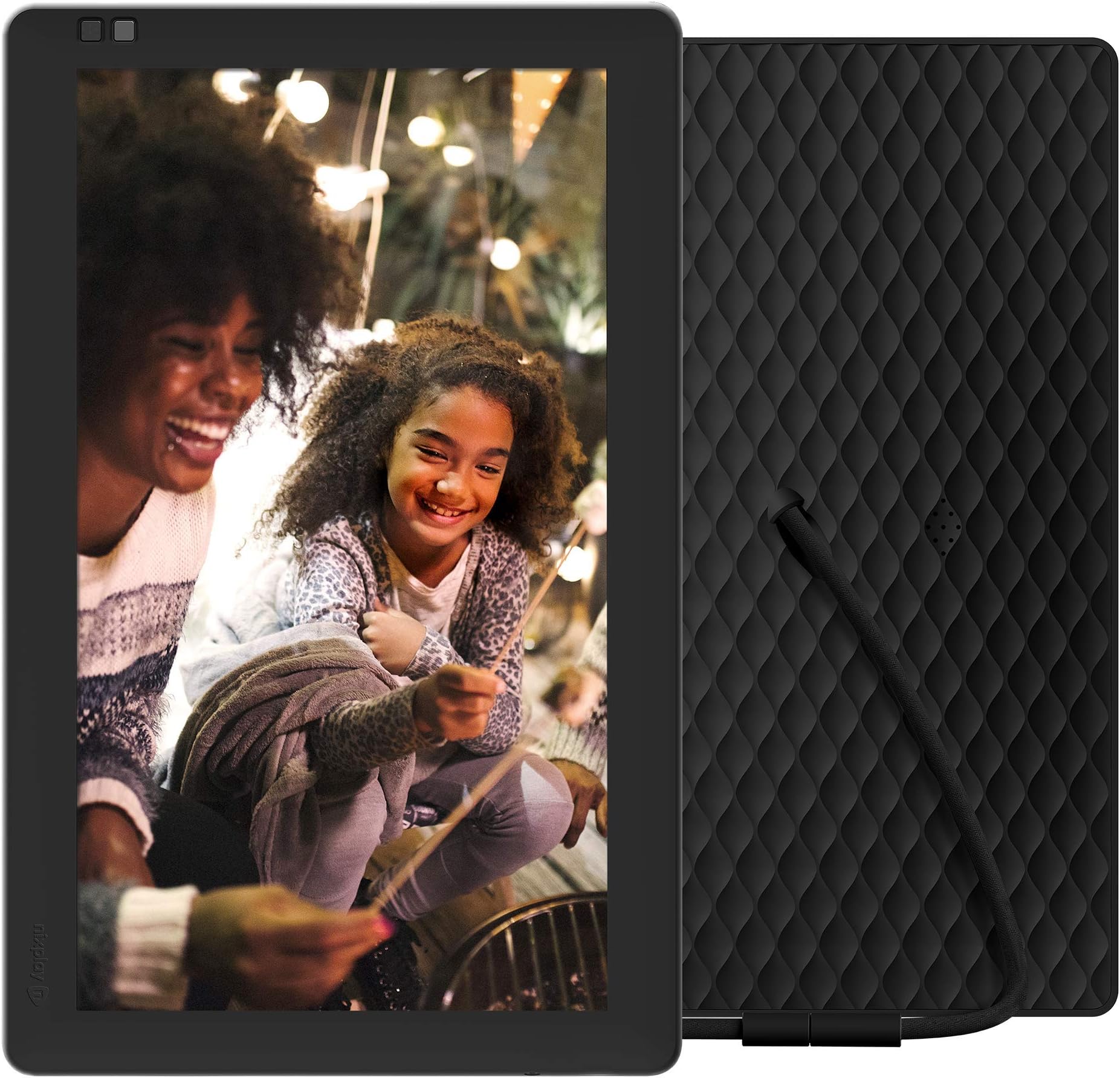
Worked for 1 day and then died horribly. It sounds like a great idea; the best gift I could give my parents that would love to see pictures of their granddaughter without having to retrieve them from an email or print them out. I bought 2. I added roughly 35 pictures through the app. It wasn't perfect but at least it showed pictures from the playlists I created through the website. I gave one to my wife for Mother's Day and within a day the screen was flashing with vertical lines. I attempted to restart the device and now it is stuck at the loading screen flashing with a black bar at the bottom and vertical lines running across the device. The saddest part is that we haven't touch the device after removing it from the box and initial setup. It simply fails without interaction. Adding photos and video of my experience.
C**L
Super !
Je disposais auparavant d'un cadre Kodak pulse qui lui aussi était connecté mais qui a rendu l'âme. Celui-ci est de bien meilleure qualité. L'écran, dalle IPS de 10 pouces, est d'excellente qualité, visible aussi de côté sans perdre en couleur ni luminosité et à une bonne résolution (supérieure aux 800x600 de la plupart des autres cadres). On configure ensuite les photos via le site internet de Nixplay, simple rapide et fonctionnel. On peut régler : - l'allumage et l'extinction de l'écran a des heures prédéfinies. - la durée d'affichage des images - la luminosité On peut le régler pour qu'il aille chercher les photos sur Facebook, Flickr, Instagram ... Mais surtout on peut créer une adresse mail @mynixplay.com associée au cadre : du coup quand je suis en vacances je peux envoyer en "direct" des photos sur le cadre de mamie qui s'afficheront presque instantanément. EDIT : Le cadre s'est mis à jour et on peut maintenant y envoyer des petites vidéos (même avec le son) directement à partir de nos téléphones ! C'est juste fabuleux pour les grands-parents !
A**O
ottima cornice digitale
Veramente fantastica, ho preso la versione da 10" ma ora che ci ho fatto l'occhio la vorrei più grande. Il caricamento delle foto dal portale web è davvero comodissimo, rilevazione del movimento perfetta, qualità immagine buona.
N**R
Nachträglich wird ein teures Abo Pflicht.
Finger weg! Aboabzocke auf perfide Art! Die eigentlichen Rahmen sind sehr teuer, was wir als gerechtfertigt angesehen hatten da es keine zwingenden weitere Kosten gab. Jetzt wird nachträglich das Geschäftsmodell geändert und die kostenfreie Nutzung so limitiert (max 500mb was für Bilder auf einem digitalen Bilderrahmen witzlos ist), so dass (ohne ein teures zusätzliches Abo) die Rahmen mehr oder weniger sinnlos sind. Fühlt sich für die Kunden wie Betrug an.
K**H
AWESOME!!
Simply one word. AWESOME!!!!! Must buy for everyone.
A**Z
Espectacular marco digital
Este marco digital es una barbaridad, no se puede definir de otra manera, gracias al WIFI se puede hacer toda la gestión del marco desde una plataforma web del propio fabricante. El marco está muy bien construido y con unos materiales muy buenos, de hecho no tiene pata de soporte, es el propio cable el que hace de soporte gracias a que es semirrigido en la parte pegada al marco, además el cable se conecta a un cargador USB como los de los teléfonos móviles (incluido pero se puede usar otro). El control del marco se realiza mediante un mando pequeño con un acabado igual que el del marco, con el podemos apagar el marco, pasar fotos o movernos por los menús. Una de las características más chulas es que es posible configurar el marco para que se apague y cuando detecta una persona (mediante un sensor de movimiento) se enciende durante un tiempo establecido. Una caracteristica impresionante de la plataforma, es que asigna al marco una cuenta de correo electrónico y que si das de alta otra direccion de correo, si mandas un correo con fotos desde esa cuenta a la del marco, la foto se almacenará y se reproducirá en el marco directamente. En resumen: -Pros ---Construcción de calidad ---Gran cantidad de funcionalidades y opciones ---Wifi ---La plataforma (es la mejor parte) ---La gestión remota del dispositivo -Contras --- No le encuentro ninguna en concreto Es una compra muy recomendada pues aunque pueda parecer caro, ofrece más funcionalidades de las habituales.
Trustpilot
2 weeks ago
2 days ago