Buy anything from 5,000+ international stores. One checkout price. No surprise fees. Join 2M+ shoppers on Desertcart.
Desertcart purchases this item on your behalf and handles shipping, customs, and support to Vietnam.
💼 Store More, Stress Less — Your Digital Lifeline on the Go!
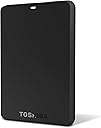
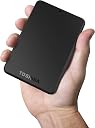
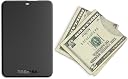
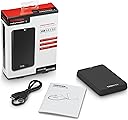
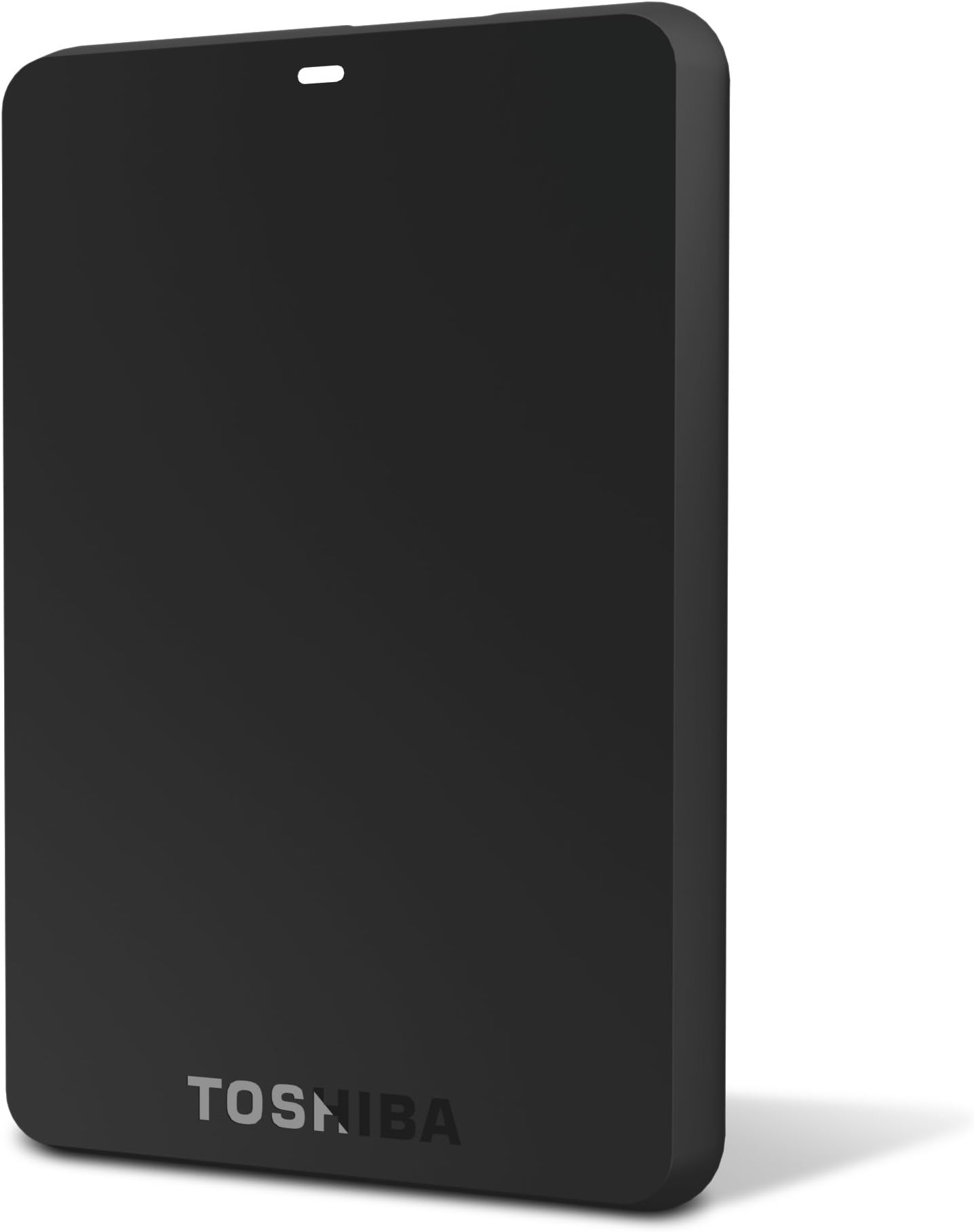
The Toshiba Canvio 750 GB USB 3.0 Basics Portable Hard Drive offers a robust 750 GB storage capacity with lightning-fast USB 3.0 transfer speeds up to 480 Mb/s. Engineered with internal shock sensors and ramp loading technology, it protects your data from accidental drops. Its compact, lightweight design ensures portability, while plug-and-play functionality requires no software installation. Compatible with Windows XP through 7 and backed by a 3-year limited warranty, this drive is a reliable, future-proof storage solution for professionals managing large digital libraries.
| ASIN | B005J7YA4G |
| Best Sellers Rank | #922 in External Hard Drives |
| Brand | TOSHIBA |
| Built-In Media | USB Cable |
| Cache Memory Installed Size | 8 |
| Color | Black |
| Compatible Devices | Desktop |
| Connectivity Technology | USB |
| Customer Reviews | 4.6 out of 5 stars 7,002 Reviews |
| Data Transfer Rate | 480 Megabits Per Second |
| Digital Storage Capacity | 750 GB |
| Form Factor | Portable |
| Global Trade Identification Number | 00883974913442 |
| Hard Disk Description | Mechanical Hard Disk |
| Hard Disk Form Factor | 2.5 Inches |
| Hard Disk Interface | USB 3.0 |
| Hard-Drive Size | 750 GB |
| Hardware Connectivity | USB 3.0 |
| Hardware Platform | PC |
| Installation Type | Plug In |
| Item Weight | 5.12 ounces |
| Manufacturer | Toshiba |
| Media Speed | 100-300 MB/s |
| Mfr Part Number | HDTB107XK3AA |
| Model Name | Canvio Basics |
| Model Number | HDTB107XK3AA |
| Number of Items | 1 |
| Specific Uses For Product | Personal |
| UPC | 088020599735 168141462153 151903046326 883974913442 163120286843 763615881784 115971009867 163120772995 777786344030 858321092842 081270828549 |
| Warranty Description | Three year |
M**S
Great little hard drive, very good quality, lots of space.
I've been using this for years and it has never failed me. A great little hard drive, very convenient and portable.
E**N
Long lasting and reliable!
I couldn't find this hard drive for 2+ years after relocating it somewhere in my house during one particular spring cleaning. I eventually forgot about it and a couple days ago realized that I really needed the hard drive because as an avid music listener, there are instances where a favorite song of yours is no longer available anywhere on the internet and you want to share it with your friends. I was freaking out because most of my songs were on a Lexar USB, and those are the worst to use, and I for some of them I had to call it quits because my laptop would not recognize them or the usb port itself was heavily damaged and did not want to plug in to my laptop. I found this is my parent's room somehow and plugged it in, and thank God it actually worked and still contained the 100+ GB of media content. Unlike most of the users here who give bad reviews in terms of long-lasting power, I don't use this hard drive on a daily basis, nor do I plug this into my laptop a million times per day. I don't toss it around or yank the cable when I'm done with it. My house accumulates a lot of dust on a daily basis thanks to the million acorn trees around my property, so I make sure to store it in a non-mesh storage bag with plenty of padding in case I happen to accidentally drop it. You're not supposed to use and abuse this hard drive, treat it like a newborn baby! I haven't even come close to using 150 GB of the 1TB my hard drive came with, I can see this lasting a long time! I love that it is super light and portable, you DON'T need to be those people that carry around those heavy hard drives with them. Save yourself the money and sore arm and purchase this!
M**R
exceptional external USB 3.0 drive at a great price
I'm not quite ready to take the plunge and grab a NAS yet, almost, but not quite. I mainly use external storage for media- movies and music like everyone else using external hdd's. I grabbed this particular drive because of it's price, reviews, and my past experiences with Toshiba hdd's, which, in my personal opinion, are among the highest tier of price:performance ratio drives out there (e.g. cheap and extremely reliable). I haad just filled up my Seagate backup plus 1tb external drive and saw this model on sale at an extraordinarily appealing price so i snatched one up without a second thought. Initial impressions are that it's a champion. I get sustained avg. read/write speeds of 70mbps over USB 3.0, about 5mbps faster than my Seagate backup plus, and this drive was cheaper to boot. I've had no problems at all so far with it and am loving this little guy to date mainly using it to store and deliver movies to plex for which it works flawlessly. I paid a little under $65 for a 1tb model, got it in the blink of an eye, and was well on my way to filling it up within 3 days of ordering. To date the largest transfer i've preformed from my laptops hdd to this external drive was 300GB or so which only took a about an hour 15mins or so give or take. For a USB drive that's downright zippy. As soon as I fill this drive up i'm planning on getting a NAS so I can finish ripping my DVD collection this summer, but for now this drive more than does the trick. At this price, I can't recommend it enough.
B**T
Gets the job done
Shipping: 5/5 I ordered it with FREE super saver shipping, as I was not in a hurry to receive this item, it arrived on time as the expected date of arrival! No delays. Price: 5/5 I did my research on several different sites looking for a low price on a Hard Drive with this much storage, other items were going for $70+ (at the time of purchase I got this for $49.99 free shipping) Condition: 5/5 Item arrived in new condition, no scratches or shipping damages. Operation: 5/5 Easy to use, plug into the computer and it's good to go. Compatable with all windows OS, would require formating for use with MAC. Word to the wise: Having worked in computers my whole life, the reviews where people post that after plugging it into the computer it "Never worked, came up, turned on, ect." are 9 out of 10 times the Users fault. Very rarely does a product go out that hasn't been tested and verified working. Hardware failure comes with use over long periods of time. For those who plugged it in and it never came up, are more than likely looking at a driver issue. But if you keep your computer up to date and run windows updates you should never encounter this problem! Background info: I bought this external drive because I wanted to use it as a Multi-Boot USB. In simple terms I was planning on putting Windows 8 all the way down to XP on this hard drive so I could carry the Hard drive around instead of all the CD's. (I work in a computer lab, constantly having to install from discs.) Little did I do my homework to come and find out the format of storage device I would need is FAT32, and this drive comes in NTFS (which is a good thing, but not if your planning on using it like I do). FAT32 is the file system for storage devices 32gb and under, but is also what I need for my project. But no need to worry a simple program I found online would format a drive over 32gb to be FAT32! And I didn't lose any space in the conversion!
G**G
Love the Drive BUT ...
These Toshiba pocket drives with USB 3.0 connectivity are so handy and fast. I use a 1.0TB one for travel and just got a 1.5TB one for the SAVES and archives. NEVER had a problem of any kind with the first one, banged around on trips for over a year. The second one (had 12 days now) was fine until tonight. After working just fine most of the evening, I unplugged it from one PC, plugged it into another PC and from then on could never get it to submit to Explore, Open or cough up Properties on EITHER PC. The Win 7 Device manager claims all is well. Every couple of minutes an error window comes up telling me I "must Format the Drive In Order To Use It." Oh !!?? The Toshiba toll free people(tried 2)are essentially brain-dead and worse than worthless. Clueless. Absolutely NO HINT that this sort of thing is very common or what to try. One claimed I disconnected it when I should not have (the hot disconnect option was set all along.) Then (having lost nothing but my time & having all the data still on the PCs) I decided to bite the bullet and format the drive. That would not work either (!) Selected FORMAT 2 or 3 different ways and got dumb silence. I was preparing to send the thing back when suddenly the format warning window popped up -- I quickly formatted the drive and went back to storing stuff on it. Used it for the next 2-3 hours with no issues of any kind. I see nothing among the MANY reviews to really nail what the problem is. People have tried everything from new enclosures to replacing cables to repeated trials in different orifices, to non-data power sources for "reset", and on and on. NONE very convincing that the problem was really identified. In my opinion Toshiba owes the entire user community an evaluation and tutorial on the problem with suggested fixes. A real shame there is no way to force that issue !!! I love the drive (speed, size, usefulness) but it will turn to hatred if this keeps happening ! jwr
B**N
Install in a MacMini - mid2011 as a second INTERNAL DRIVE using the OWC Data Doubler and a Samsung 840 EVO-SSD 250GB for OSys!!
(Worked well as a USB drive but.... I wanted a HUGE internal 2TB drive in my MacMini) Parts used with the Toshiba 2TB Canvio Drive: (HDTB220XK3CA) *OWC Data Doubler SSD/2.5" Hard Drive Installation Kit for Mac mini 2011-2012 Modelshttp://www.amazon.com/gp/product/B00AN5PUSE/ref=oh_details_o01_s00_i00?ie=UTF8&psc=1 *Samsung Electronics 840 EVO-Series 250GB 2.5-Inch SATA III Single Unit Version Internal Solid State Drive (MZ-7TE250BW) http://www.amazon.com/gp/product/B00E3W1726/ref=s9_psimh_gw_p147_d0_i1?pf_rd_m=ATVPDKIKX0DER&pf_rd_s=center-2&pf_rd_r=02839H8DAPC016HGSP9T&pf_rd_t=101&pf_rd_p=1688200382&pf_rd_i=507846 (This SSD drive is also easy to install in a Windows machine and has software to move you old OS and files to the new Samsung.) ((((((((My MacMini instructions: COPIED from my OWC Data Doubler product review:)))))))) >< ))'> >< ))'> Installed in MacMini - mid2011 : (added 2 MONSTER internal drives) *Samsung 840 EVO-SSD 250GB and a 2TB Toshiba for Data!!!! How to build a POWERFUL MacMini... at a great price.... (FIRST THING: the Samsung SSD listed below is 7mm thick, much thinner then Apple's/OWC recommended 9.5max...) The 2TB Toshiba is almost 13mm THICK, much thicker then the standard 9.5mm max... but combined, they both equal to around the 20mm maximum space allowed.) Note: The Toshiba is an external drive that you have to crack out of it's case to use as an internal drive. (I'm sure it will void your warranty so test it first.) The Toshiba needs to be installed on the bottom to work but the ribbon in this kit plugs right into it and your mac will see it as a new internal drive. (Use OWC's video as a guide to install 2 drives with this kit.) This drive is too FAT to screw in but sits securely in place after the second drive is added. *You don't want to use this thick drive with the original Apple ribbon in the top position because the ribbon is to short and they don't line up right. NEXT: Install the 7mm Samsung SSD drive on top, using the original Apple ribbon. (There is enough space to place a credit card or plastic hotel room key between them but the SSD rear set screws line-up and the drive screws right into the original drive's position...) Be very carful when snapping the ribbons back into their plugs.... follow the video from OWC and use the tools provided.... (PLEASE let me know how well it works for you and if it was helpful information.....) After I installed the two drives, I installed MAVERICKs from a thumb drive onto the SSD drive. It's now VERY FAST, and has two drives available with no additional desk clutter... :) It's mean & clean!! (OF COURSE DO AT YOUR OWN RISK.) I've been running mine like this for 5 months now with no problems.... I love my new MaxMini computer!! I hope this was helpful... *****(DRIVES I USED from Amazon)***** *Samsung Electronics 840 EVO-Series 250GB 2.5-Inch SATA III Single Unit Version Internal Solid State Drive (MZ-7TE250BW) http://www.amazon.com/gp/product/B00E3W1726/ref=s9_psimh_gw_p147_d0_i1?pf_rd_m=ATVPDKIKX0DER&pf_rd_s=center-2&pf_rd_r=02839H8DAPC016HGSP9T&pf_rd_t=101&pf_rd_p=1688200382&pf_rd_i=507846 (This drive is also easy to install in a Windows machine and has software to move you old OS and files to the Samsung.) *Toshiba 2TB Canvio Basics USB 3.0 Portable Hard Drive (HDTB220XK3CA) http://www.amazon.com/gp/product/B00ARJD56K/ref=cm_cr_ryp_prd_ttl_sol_1
M**N
Toshiba Stands Behind Their Product
I have 23 portable hard drives from various manufacturers. 16 of them are USB 3.0, and 7 of those are this particular model (HDTB220XK3CA). Over the years, I've had 3 drives that failed. It happens. One was a Maxtor, one was a Western Digital, and then this one from Toshiba. I use the drives exclusively for storing my blu-ray rips and I connect them to a media player and watch them. I purchased this drive from amazon on May 25, 2014. I have no idea when I started actually using the drive. I always keep 2 unused drives. (I never want to experience data loss again, so I mirror every drive). Ultimately I had about 900GB used of the 1.8TB available on this drive. Writing data to the drive was never an issue. However, when I attempted to play the movies on my media player, every file skipped. I tried a different media player and experienced the same issue. I then moved the files to an identical Toshiba drive and the skipping stopped. I therefore reformatted the problematic drive and moved files back to it. The skipping persisted. Windows 8 nor Windows XP could find actual drive errors, but the drive was obviously defective. I was outside of amazon's return window, so I had to go through Toshiba directly since the drive has a 1 year warranty. This was an incredibly easy process. Here's how it went: On May 25, I ordered the Toshiba 2TB USB 3.0 drive from amazon for $104.11 including tax. On August 25, I filed a 3-step online claim with Toshiba. I was given the option of replacement or credit to be used at Toshiba's site. I opted for the coupon. They indicated how much the coupon would be at that time. I immediately received an RMA number in my inbox. On August 25, I shipped the defective drive to Toshiba at my cost of $16.24. Toshiba preferred UPS, but I could ship via any method of my choosing. Today, August 29, UPS indicated that Toshiba accepted the package at 10:36 a.m. At 6:14 p.m. I received an email from Toshiba stating the claim was closed and received a coupon code valued at $218.33. They claim the coupon amount is calculated to account for replacement value and shipping. So, a coupon of 218.33 minus the original cost of the drive at 104.11 minus the 16.24 I paid to ship it to them yields a net profit to me of $97.98. It should be noted they tell you that as soon as you use the coupon code for any amount, it expires (so you need to make a purchase for at least the amount of the coupon). I turned around and purchased two 2TB drives from Toshiba's site. (I purchased a higher model drive than the original). Total out of pocket for me was $52.26. But remember, I purchased an additional 2TB drive. If all I wanted to do was replace the single drive, I would have profited. That's pretty efficient customer service on Toshiba's part. Taking nothing away from amazon, as I was clearly out of the reasonable return window. The bottom line is that if you purchase enough drives, you will eventually have a drive fail regardless of manufacturer. You need to ensure your data is backed up. Toshiba's easy return policy is reason enough to use them.
M**S
GREAT little drive.
So far so good. I really don't understand some of the bad reviews. Especially about the cable. It's a perfectly fine cable. The connector is NOT proprietary, it's a standard USB 3 connector. USB 3 devices require a little more power. Some laptops limit the output on the bus and won't work well with this unit. I don't think that is unique to this Toshiba drive...It's universally true. One thing I particularly like about this Toshiba is the on light is blue when plugged into a USB 3 port and whit when hooked up to USB 2. I would by this drive again. I'll post an update if it doesn't hold up well. I plan to use it as a travel back up, transporting files back and forth to work. I think those who use ANY 2.5" portable drive as a primary back up is asking for trouble. GOOD: 1. Indicates whether your connected to USB 2 or 3 2. Small footprint 3. Powers down if not accessed for a while, even while plugged in. Great if your PC has live USB ports after shutdown BAD: Nothing really. It is a little thicker than my other portable though. WARNING: The drive is formatted in NTFS which is read not write for most Macs. This model does not have Tuxera which allows you to read and write from a Mac. I use it with PC and Mac without issue because I have a copy of Tuxera. If you want to use it exclusively on a MAC, I would reformat it to Mac OS Extended (journaled).
A**R
good service and product
Not only the prodUct is good but the service is also good!
M**S
Five Stars
it works
I**A
Ótimo!
Chegou tudo certinho, bem embalado, produto lacrado e funcionando perfeitamente! O preço também foi excelente
J**.
Excelente!
Buena marca, buen rendimiento, excelente precio, no es el más delgado pero de cualquier manera es muy portátil, funciona perfecto también para Xbox.
S**E
Five Stars
Works as expected. No complaints.
Trustpilot
2 days ago
2 months ago