Buy anything from 5,000+ international stores. One checkout price. No surprise fees. Join 2M+ shoppers on Desertcart.
Desertcart purchases this item on your behalf and handles shipping, customs, and support to Vietnam.
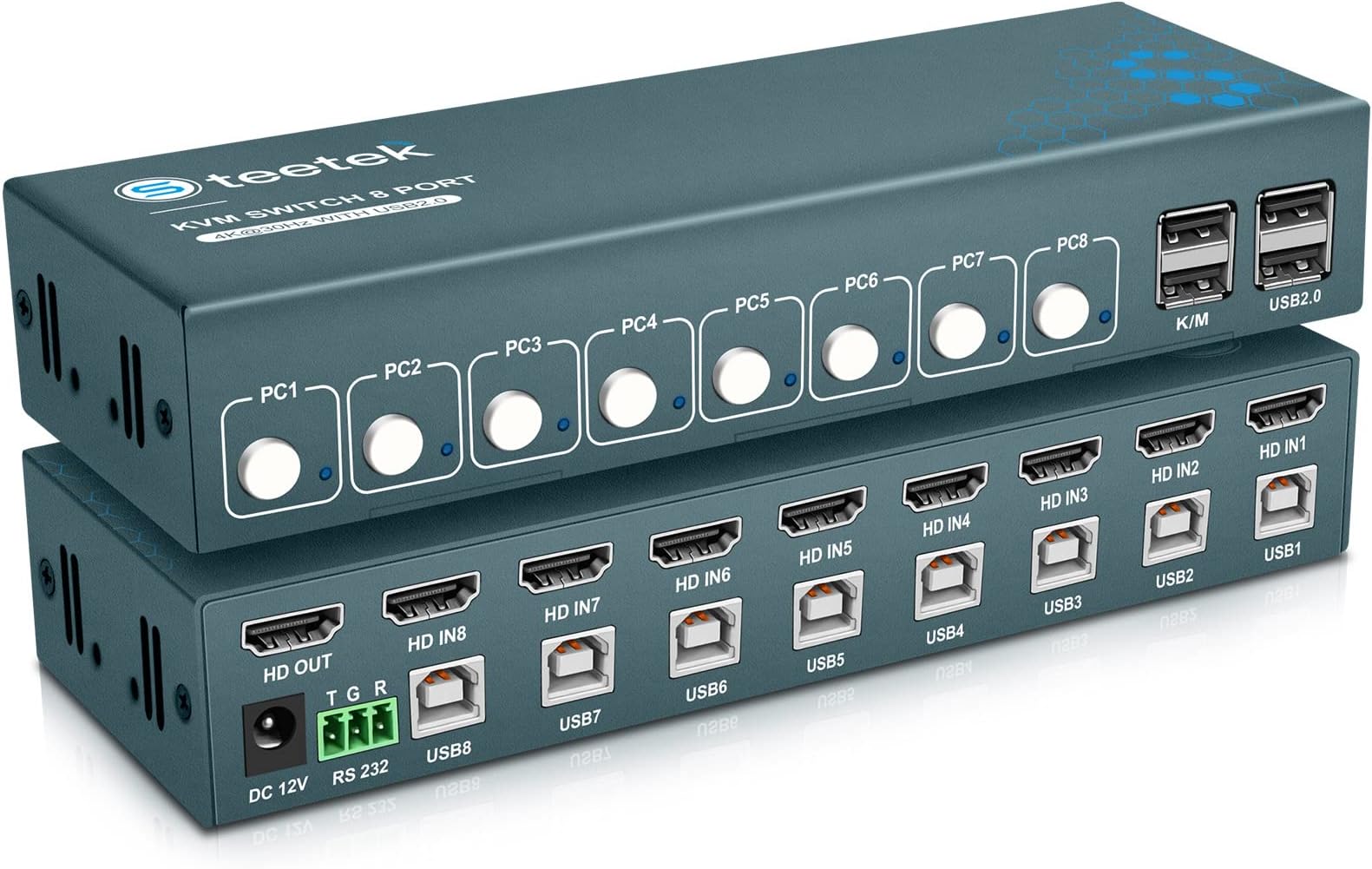
Product description USB 3.0 HDMI KVM Switch 1 Monitors 4 Computers Does this KVM switch support 4K resolution? Yes, this USB 3.0 HDMI KVM Switch supports 4K resolution at 60Hz, providing crystal-clear and highly detailed visuals for your monitors. It also supports 4K@30Hz, 2K, 3D, and 1080P, ensuring flexibility for various display needs. Does this KVM switch support 4K resolution? Yes, this USB 3.0 HDMI KVM Switch supports 4K resolution at 60Hz, providing crystal-clear and highly detailed visuals for your monitors. It also supports 4K@30Hz, 2K, 3D, and 1080P, ensuring flexibility for various display needs. What devices and operating systems are compatible with this KVM switch? This KVM switch is compatible with a variety of input devices including PCs, laptops, and gaming consoles like PS4. It supports multiple operating systems such as Windows 7/8/10/11/Vista/XP, Linux, and MacOS. What devices and operating systems are compatible with this KVM switch? This KVM switch is compatible with a variety of input devices including PCs, laptops, and gaming consoles like PS4. It supports multiple operating systems such as Windows 7/8/10/11/Vista/XP, Linux, and MacOS. What if my computer has a USB-C port and no HDMI port? You will need to use a USB-C to HDMI adapter. Similarly, for other non-HDMI ports, use appropriate adapters to convert to HDMI. Ensure that you use high-quality adapters to maintain compatibility. What if my computer has a USB-C port and no HDMI port? You will need to use a USB-C to HDMI adapter. Similarly, for other non-HDMI ports, use appropriate adapters to convert to HDMI. Ensure that you use high-quality adapters to maintain compatibility. Does the package include a 5V USB power adapter? No, itโs not included. To reduce waste, we donโt provide a USB adapter as most users have spare ones at home. Please note, the KVM switch requires external USB power for stable operation. If needed, contact customer support. Does the package include a 5V USB power adapter? No, itโs not included. To reduce waste, we donโt provide a USB adapter as most users have spare ones at home. Please note, the KVM switch requires external USB power for stable operation. If needed, contact customer support. Review: Perfect for multi-PC setups - Perfect for multi-PC setups Pros: No Power Brick: Powered via the USB inputs from the PCs. Wireless Support: Works great with wireless peripherals. Compact: Very small footprint on the desk. Cons: None so far! Bottom Line: If you need to switch between 4(or 3) computers and want to avoid extra power cords, this is the one to get. Review: JUST WORKS!!!!! - Make sure that you have html cables for your computers, only one html cable is included. there are four USB 3.0 cables included. Works perfectly, just hook it up, no drivers needed, it just works. Great device. Perfect!!!!!!!!!!


| ASIN | B0CGL2TRWK |
| Actuator Type | Push Button |
| Best Sellers Rank | #147 in KVM Switches |
| Brand | Steetek |
| Brand Name | Steetek |
| Circuit Type | 4-way |
| Compatible Devices | PCs, Laptops, PS4, Windows, Linux, Mac |
| Connectivity Protocol | Hdmi |
| Connector Type | Plug In |
| Contact Material | Copper |
| Contact Type | Normally Open |
| Control Method | Touch |
| Control Type | Manual |
| Current Rating | 1 Amps |
| Customer Reviews | 4.3 out of 5 stars 150 Reviews |
| Included Components | kvm |
| International Protection Rating | IP20 |
| Item Dimensions | 6 x 1 x 4 inches |
| Manufacturer | PWAYTEK |
| Material Type | Aluminum |
| Model | STK-S7415H |
| Mounting Type | Surface Mount |
| Number of Items | 1 |
| Number of Positions | 1 |
| Operating Voltage | 5 Volts (DC) |
| Operation Mode | ON-ON-ON |
| Part Number | STK-S7415H |
| Specification Met | FCC |
| Switch Type | Push Button |
| Terminal | Physical |
| Unit Count | 1.0 Count |
| Upper Temperature Rating | 80 Degrees Celsius |
B**R
Perfect for multi-PC setups
Perfect for multi-PC setups Pros: No Power Brick: Powered via the USB inputs from the PCs. Wireless Support: Works great with wireless peripherals. Compact: Very small footprint on the desk. Cons: None so far! Bottom Line: If you need to switch between 4(or 3) computers and want to avoid extra power cords, this is the one to get.
N**E
JUST WORKS!!!!!
Make sure that you have html cables for your computers, only one html cable is included. there are four USB 3.0 cables included. Works perfectly, just hook it up, no drivers needed, it just works. Great device. Perfect!!!!!!!!!!
D**.
Great KVM for MAC and Windows
Greate KVM with great support from seller if you have an issue. I purchased this KVM in Dec and everything worked great to start with my MAC's and windows laptop. I started having issue with my windows laptop, the mouse started going crazy, moving around the screen clicking on things. I couldn't find a support site for the KVM, so I posted a question on the product page. I got a few suggestions but then I got contacted by the seller, who was very helpful in trying to find my issue. After a few days of testing and changing my mouse, I found that the issue was my laptop. When the laptop is closed, my mouse goes crazy but works great when it's open. I tested the laptop on another KVM and it had the same behavior. I do have the track pad disabled, like a few people have suggested.
T**G
Worked great for me; but then weirdness...
The product worked fantastic...for several months, and then... Here's my situation. I've got a desk that faces out into the room instead of facing the wall where my 3 computers are (two Win10, one Win11). So I have a 20' HDMI cable, and a 20' single USB3 cable. At the end of this 20' USB3 cable on my desk is then a powered USB hub. Connected to this hub is my USB mouse, USB keyboard, and a USB fed ifi Headphone amp. Everything worked fine for quite a while; but now, two of my computers go into a frenzy of mouse/keyboard disconnects and then reconnects about every 10 seconds. Insane I know. My main workstation was fine, but it just started doing the same but with an interval of maybe a few minutes or less to way longer (so the issue is similar with two computers but different with another). Last week things were almost back to normal, but it started up again this week. Yes I've tried every USB3 and USB2 ports on this SFF Dell; and also swapped out USB cables to the KVM. I even plugged in a USB power adapter to the Power Plug on the KVM thinking maybe that was the issue, but no changes. Watching the Windows Device Manager: it is the HID (human interface devices) that keep dropping and reconnecting. I'm about to buy something else. Have I bypassed my USB Hub on my desk and connected my Keyboard/Mouse directly to the KVM? No I haven't.
E**M
Works perfectly / EDITED FOR AN UPDATE
EDIT UPDATE: If I could give this seller 10 stars, I would... I encountered an odd issue, probably 1-in-million fluke, involving certain keyboard keystrokes not translating out the back end of the KMV box into my various connected PCs. I alerted the seller, asking for some guidance as to how I could resolve the problem. The seller (jsjmtek) immediately sent a replacement without my even asking. This was beyond what I expected an Amazon seller might do to address such a glitch. No, I don't expect everything to always work 100% of the time - but buying from such a responsive and responsible seller like sjsmtek made all the difference as they really stand solidly behind what they sell. First class. - - - - ORIGINAL: I've got 3 computers on the desk (old iMac, laptop and MacMini) and didn't want to keep switching keyboard/mouse - while also allowing all three to access my one extra monitor. This unit is built like a tank - full metal. The LEDs are clear and bright, and the additional USB slots on the front are easily accessible. Meanwhile, all the cable clutter (usb connections and HMDI cabling to/from the PCs and the extra monitor) are placed in the rear of the unit - where they all belong. Has become an integral part of my daily driver usage - enabling 3 CPUs to be utilized for various purposes at the same time without adding any more clutter than absolutely necessary. If you have a nice keyboard and/or mouse, this is a way to avoid buying more of them - use one of each for all computers and hit a button on the front of the KVM box to direct traffic. Surprisingly good value - perhaps I just caught it at the right moment. But not too pricey anyhow.
I**E
Not the best experience
Overall for the price, a very nice KVM, however it constantly loses the screen (screen goes black). I have tried multiple ports and HDMI cables and have come to the conclusion that the supplied power pack does not deliver enough power to the KVM to power all of the devices that can be connected. When working this is a total pain to have your monitor just randomly go black. this happens with all 3 computers connected. The monitor did not do this with my 2 computer switch I used previously.
R**L
Nice KVM for use with several Raspberry Pis.
Works great and a great price for Raspberry Pis and Linux boxes.
B**L
Works like a champ.
This KVM works like a champ. Works with every PC I have tested it on. If I were to ask for something on this switch it would be to put LED lights in the remote showing which port was active. Otherwise, I highly recommend.
Trustpilot
1 month ago
3 weeks ago